TRUSCOPE
TRUSCOPE
Inspection
and verification,
built for field
and office teams
TruScope gives inspectors, IORs, and QA/QC teams confidence in every inspection by enabling them to inspect against approved drawings, capture evidence in context, and maintain audit-ready records – without extra reporting or manual coordination.

Why teams choose
TruScope for Field Inspections
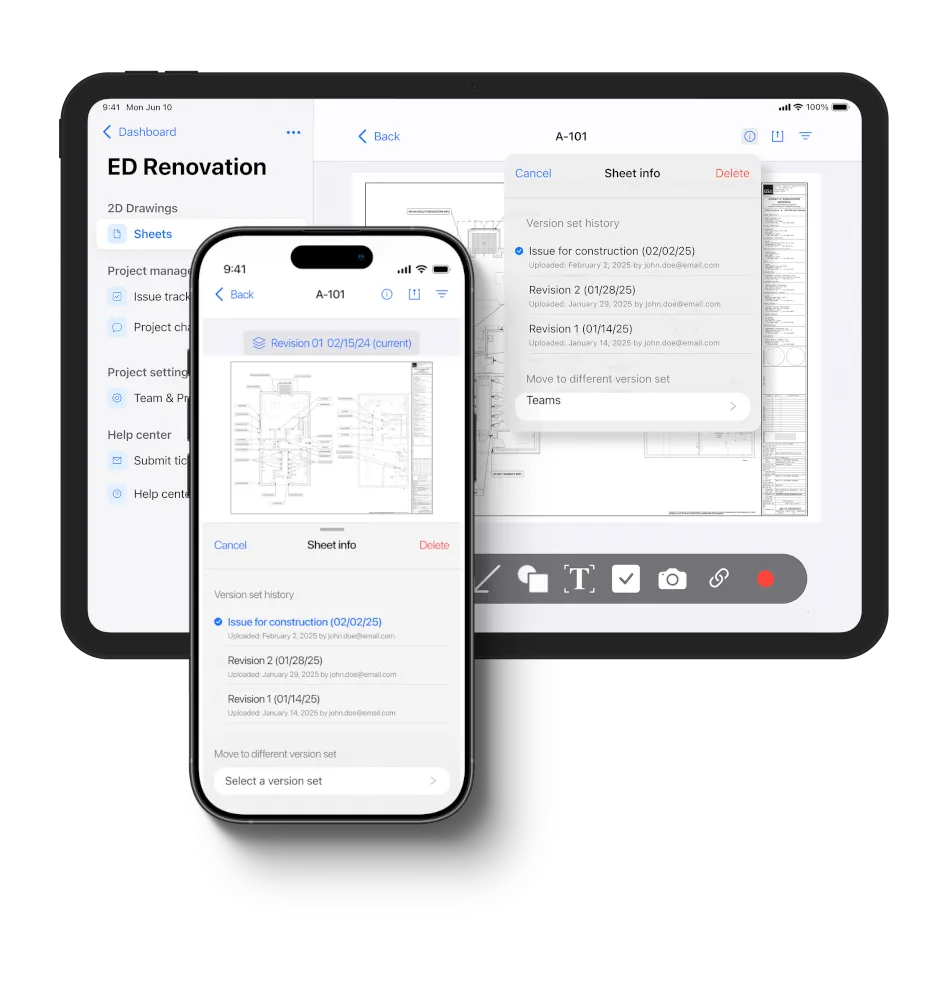
Inspection teams choose TruScope because it is focused, intuitive, and purpose-built for inspection workflows. Instead of juggling drawings, photos, notes, and reports across tools, teams keep inspection evidence connected in one place.
Core Features:


Why teams choose
TruScope
Select Role
Tasks
Upload, slip-sheet, and manage versions
Generate QR codes
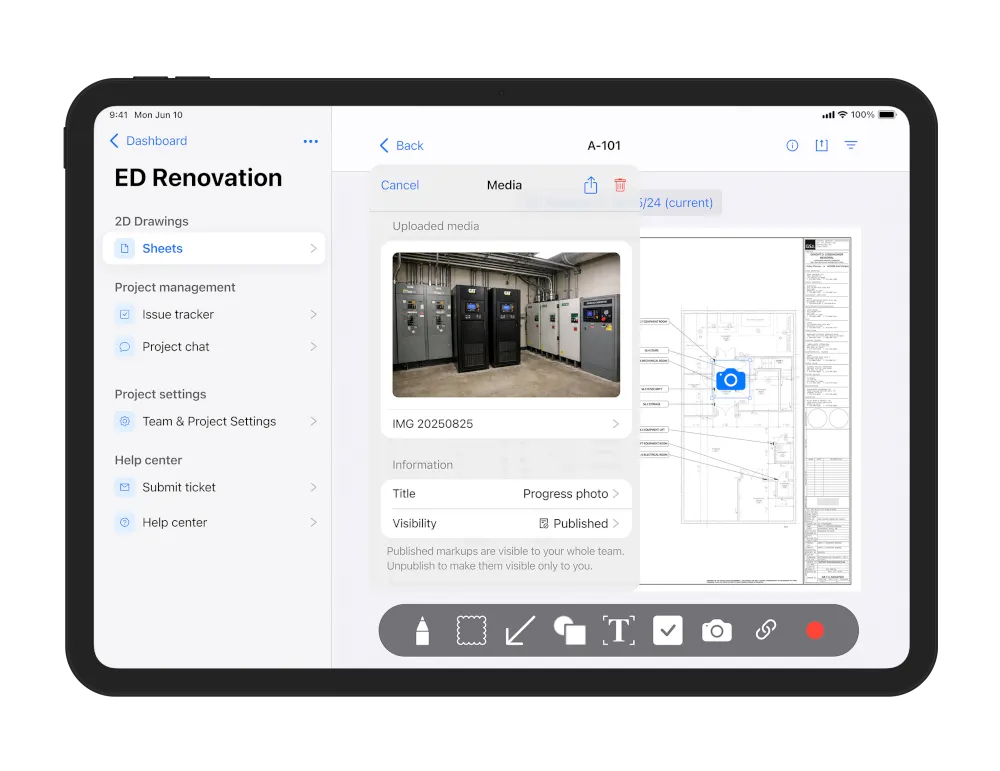
Review photos and notes in context
Full revision and approval timeline
Review, comment, and respond
See inspection records across projects
Tasks
Always see the latest approved set
Scan to open drawings instantly
Take photos and annotate directly on drawings
View history when needed
Comment and respond on site
Records captured automatically
Unlimited Users, Invite your whole team
How TruScope fits
into your inspection workflow
TruScope is designed to fit into how inspections already happen — without forcing teams to change tools or processes overnight.
How TruScope fits
into your inspection workflow
TruScope is designed to fit into how inspections already happen — without forcing teams to change tools or processes overnight.

Before the inspection
Approved drawings are uploaded, slip-sheeted, and assigned QR codes so inspectors know exactly where to start.

During the inspection
Inspectors scan a QR code or open the drawing on mobile, capture photos and notes directly on the plan, and move through the site without stopping to document separately.

After the inspection
Inspection records are already complete. Office, QA/QC, and compliance teams can review evidence in context without chasing photos, notes, or explanations.
Before the inspection
Approved drawings are uploaded, slip-sheeted, and assigned QR codes so inspectors know exactly where to start.
During the inspection
Inspectors scan a QR code or open the drawing on mobile, capture photos and notes directly on the plan, and move through the site without stopping to document separately.
After the inspection
Inspection records are already complete. Office, QA/QC, and compliance teams can review evidence in context without chasing photos, notes, or explanations.
Built for the teams doing the work

Inspectors
Document inspections quickly on site with less admin work.

QA/QC teams
Review inspection activity with full context and fewer gaps.

Compliance and owners
Access clear, defensible inspection records when needed.
Used across healthcare, education, government, and commercial construction projects.
Built for the teams
doing the work
Inspectors
Document inspections quickly on site with less admin work.
QA/QC teams
Review inspection activity with full context and fewer gaps.
Compliance and owners
Access clear, defensible inspection records when needed.
Used across healthcare, education, government, and commercial construction projects.
Built for the teams doing the work
Inspectors
Document inspections quickly on site with less admin work.
QA/QC teams
Review inspection activity with full context and fewer gaps.
Compliance and owners
Access clear, defensible inspection records when needed.
Used across healthcare, education, government, and commercial construction projects.