Field inspection software
that keeps every team
on the right drawing.

TruScope gives inspectors, IORs, and QA/QC teams instant access to approved drawings, location-linked photo capture, and audit-ready inspection records with no extra reporting or manual coordination needed.

No credit card required, 30-day free trial

WORKFLOW

How TruScope fits
into your inspection workflow

TruScope is designed to fit into how inspections already happen
— without forcing teams to change tools or processes overnight.

*This workflow reduces follow-up, shortens review cycles, and removes the need to reconstruct inspection history later.

Before the inspection

Before the inspection

Set up your project

Drawings are uploaded using Smart Sheet Uploads powered by AI, with a verification step before anything goes live. QR codes are assigned to each location so inspectors know exactly where to start. This ensures everyone starts from the latest approved version.

During the inspection

During the inspection

Document in the field

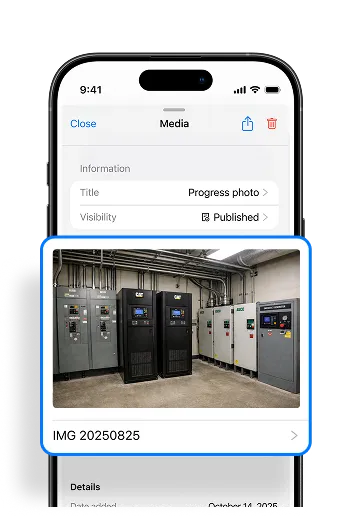
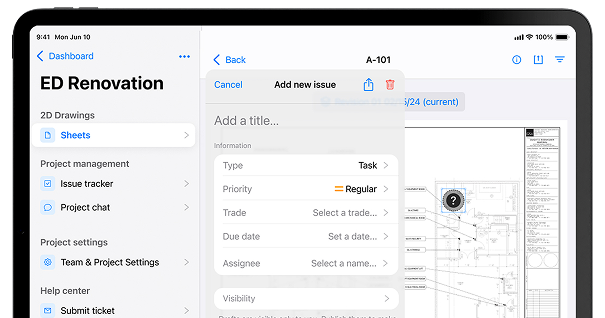
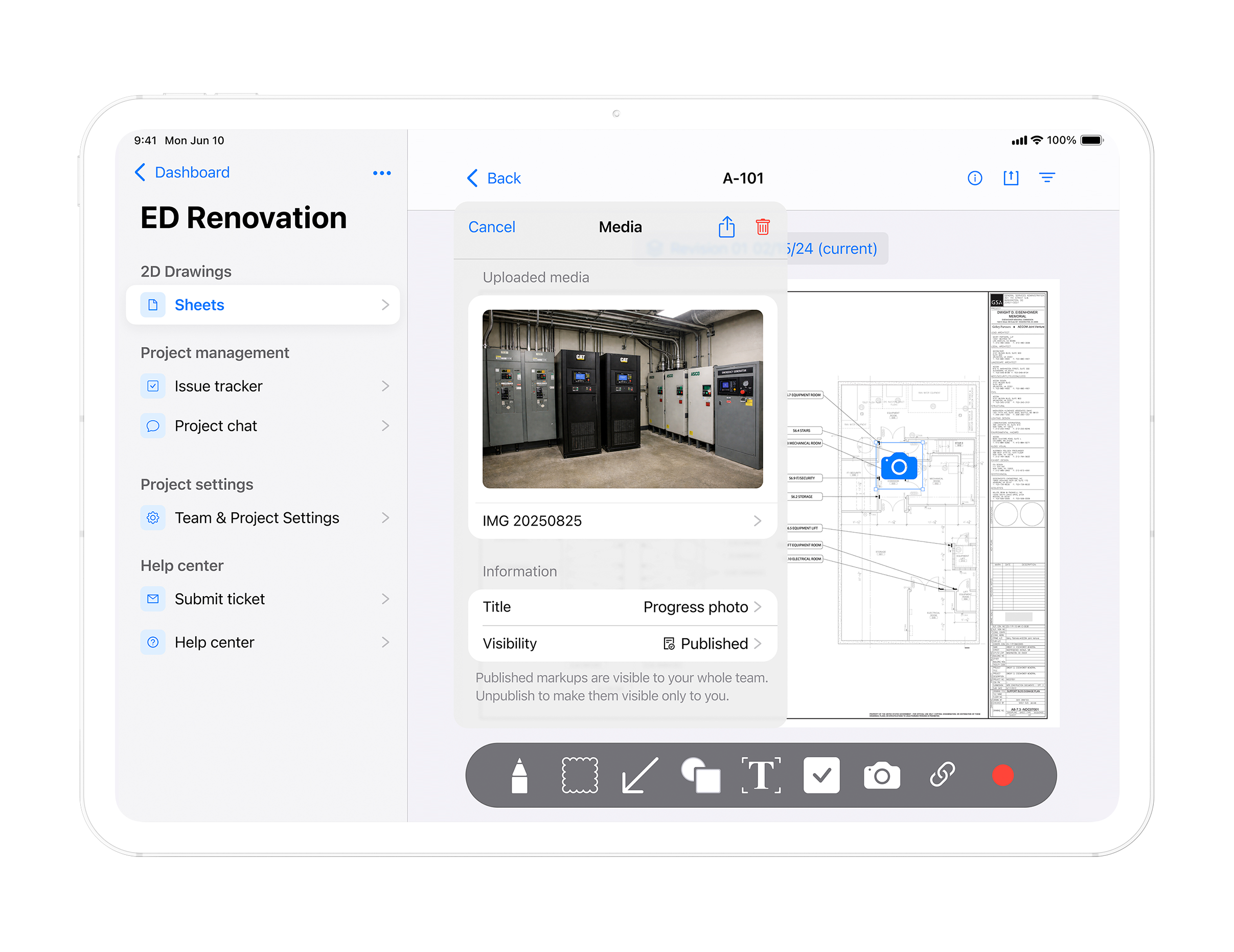
Inspectors scan a QR code or open the drawing on mobile, capture photos and notes directly on the plan, and move through the site without stopping to document separately.

After the inspection

After the inspection

Review without chasing

By the time the inspector leaves the site, the records are already complete. Timestamped photos, issue logs, markups, and revision history are all linked to the relevant drawing version and ready to export. Inspection records are already complete. Office, QA/QC, and compliance teams can review evidence in context without chasing photos, notes, or explanations.

Before the inspection

Before the inspection

Set up your project

Drawings are uploaded using Smart Sheet Uploads powered by AI, with a verification step before anything goes live. QR codes are assigned to each location so inspectors know exactly where to start. This ensures everyone starts from the latest approved version.

During the inspection

During the inspection

Document in the field

Inspectors scan a QR code or open the drawing on mobile, capture photos and notes directly on the plan, and move through the site without stopping to document separately.

After the inspection

After the inspection

Review without chasing

By the time the inspector leaves the site, the records are already complete. Timestamped photos, issue logs, markups, and revision history are all linked to the relevant drawing version and ready to export. Inspection records are already complete. Office, QA/QC, and compliance teams can review evidence in context without chasing photos, notes, or explanations.

← Scroll / Swipe →

*This workflow reduces follow-up, shortens review cycles, and removes the need to reconstruct inspection history later.

CORE FEATURES

What’s in TruScope?

Mobile app included
on iPad and iPhone.
Available on Apple App Store.

For Your Team

For Inspectors

Scan a QR code. Work through a structured checklist. Capture photo evidence tied to the exact location. In and out with a complete record that holds up.

For QA/QC Teams

Issues pinned to the drawing. Status visible across every trade. Reports generated in one click. And built-in chat so nothing gets lost in a text thread.

For Compliance

A timestamped chain of custody for every inspection, on every drawing, from first walk to final signature. Ready for an audit without any scramble.

For Project Managers

A live dashboard of open issues, inspection progress, and closeout readiness. Know what needs attention without waiting for a status update.

For BIM Engineers

Connect your model to the field. Sheet linking with anchors, AR overlay at full scale, and current drawings that match what was issued today. The bridge between digital model and physical inspection.

Mobile app included
on iPad and iPhone.
Available on Apple App Store.

What you walk away with

Exportable Output:

A complete, exportable project record: inspection logs, issue history, drawing revisions, photos, and sign-offs. Ready for owner handoff, AHJ submission, or regulatory review.
For Your Team

What you walk away with

Exportable Output:

A complete, exportable project record: inspection logs, issue history, drawing revisions, photos, and sign-offs. Ready for owner handoff, AHJ submission, or regulatory review.


BLOG

Latest from TruScope

FAQ

Your Questions. Answered.

Contact us if you have any other questions.
TruScope gives field inspection teams current drawings, structured checklists, QR code access, and photo capture tied to the exact drawing location. Inspectors complete structured inspections, capture evidence in context, and walk away with a complete digital record.

When a new revision is uploaded, TruScope automatically replaces the old sheet across every device, for every user on the project. Inspectors always work from the latest approved drawing. No reprinting, no confusion about which version is current.

Yes. TruScope caches drawings and project data locally on the device so inspectors can work without a connection. Photos, notes, and markups sync automatically when connectivity is restored.

Trusted inspection workflows start here

If inspections are critical to your project, the workflow should be built for them. TruScope gives inspection teams a cleaner, more reliable way to inspect, document, and review work.