Quality control at the pace of construction.

TruScope gives your QA/QC team real-time visibility into every inspection: what’s been done, what’s open, and what needs attention. Across every trade and every phase.

No credit card required, 30-day free trial

THE CHALLENGE

QA/QC is only as good
as the data behind it.

When inspections happen on paper and photos live on someone’s phone, quality control becomes reactive. You’re always finding out about issues after the fact. TruScope moves QA/QC upstream, so you catch problems in real time, not at closeout.

FEATURES

How TruScope helps QA/QC teams

Centralized Inspection Data

Every inspection, from every inspector, in one place. No more chasing status updates across email and text messages.

Trade-by-Trade Visibility

See what’s been inspected by trade, phase, and location. Filter and sort to find exactly what you need.

Issue Logging & Assignment

Log issues in the field, assign them to the right party, and track them to resolution, with a full status history.

Revision Management

New drawings replace old ones automatically. No confusion about which revision field teams are working from.

Custom Inspection Templates

Build templates for each trade or inspection type. Ensure every inspector covers every required checkpoint.

Report Generation

Generate summary reports or detailed inspection records in one click, for owner meetings, subcontractor coordination, or your own records.

FAQ

Your Questions. Answered.

Contact us if you have any other questions.
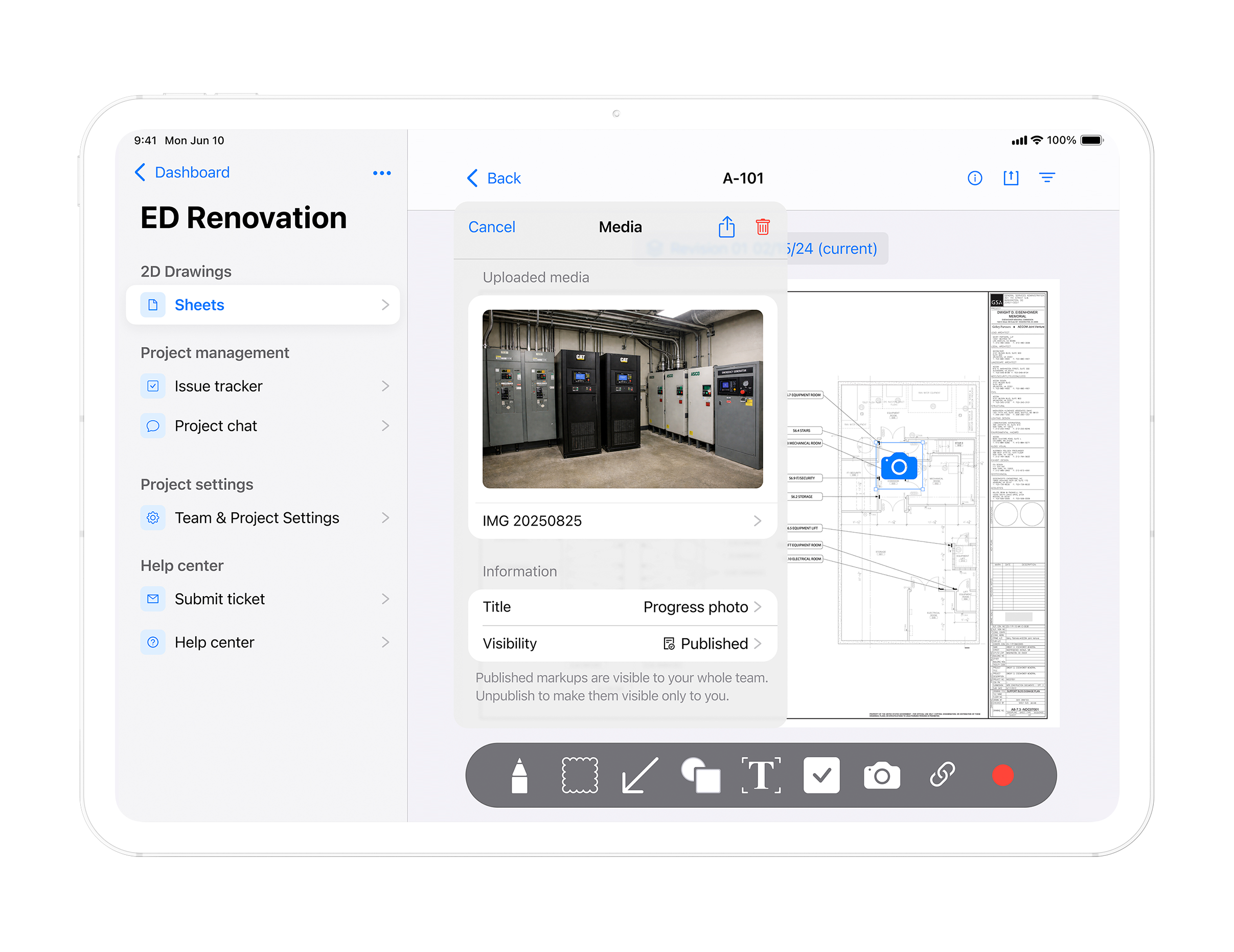
TruScope gives QA QC teams a centralized view of every inspection. What has been completed, what is open, what issues are pending resolution, and what documentation is ready for review. All inspection data is organized by trade, phase, and location and visible in real time.

Yes. TruScope generates summary reports and detailed inspection records in one click. Reports include inspection status by trade, open issues with assignment status, and photo evidence. Ready for owner meetings, GC review, or regulatory submissions without manual assembly.

When a revision is uploaded TruScope replaces the old sheet automatically across every device. QA QC managers and field inspectors are working from the same current drawing so there is no confusion about which version is active.

Issues are logged directly on the drawing at the exact location where the problem was found. Each issue includes a timestamp, photo attachment, assignee, and status trail. QA QC managers can see every open issue, who owns it, and where it stands without chasing email or status calls.

Get visibility into every inspection on your project.