Your model, in the field.

TruScope gives BIM engineers the bridge between digital model and physical inspection. AR overlay at full scale on site, sheet linking with anchors, and always-current drawings that match what was issued today.

No credit card required, 30-day free trial

THE CHALLENGE

The model is only as useful
as the connection to the field.

BIM engineers spend significant effort producing accurate models, but on most projects, the connection between that model and what actually gets built is weak. Drawings get outdated. Field teams work from stale prints. The model sits in the office while the building goes up differently in the field. TruScope closes that gap.

FEATURES

How TruScope helps BIM engineers

AR Overlay at Full Scale 1:1

Walk the space with the AR model overlaid at full scale. Verify that the physical build matches the model before walls close and corrections become expensive. Requires the TruScope AR add-on — contact for pricing.

Tabletop AR Models

Place your building model on any surface in a scaled-down view for pre-walk coordination, clash detection, and design review on site. No special hardware required.

Sheet Linking with Anchors

Include anchors in your annotations to cross-reference related drawings, specifications, and documents. Linked PDFs and cross-sheet links built in.

Current Drawings, Always

Upload a revision and TruScope auto-matches and replaces the right sheets across every device, for every user on the project. Every team member works from the latest approved set.

Smart Sheet Uploads backed by AI

New revisions auto-match and replace the correct sheets, with a verification step before the update goes live. Fewer mismatches, less manual oversight.

Real-Time Field and Office Sync

Field teams and office teams see the same drawings, the same issues, and the same status instantly. Built-in chat keeps communication tied to the project.

Add-On

Take it further with AR.

The TruScope AR add-on gives BIM engineers two modes on site: Tabletop Models for coordination and Full Scale 1:1 for spatial verification. Contact for pricing.

Tabletop Models

Place your building model on any surface in a scaled-down view. Useful for pre-walk coordination, clash detection, and design review on site.

Full Scale 1:1

Walk the space with the AR model overlaid at full scale. See exactly what should be where before the walls go up.

FAQ

Your Questions. Answered.

Contact us if you have any other questions.
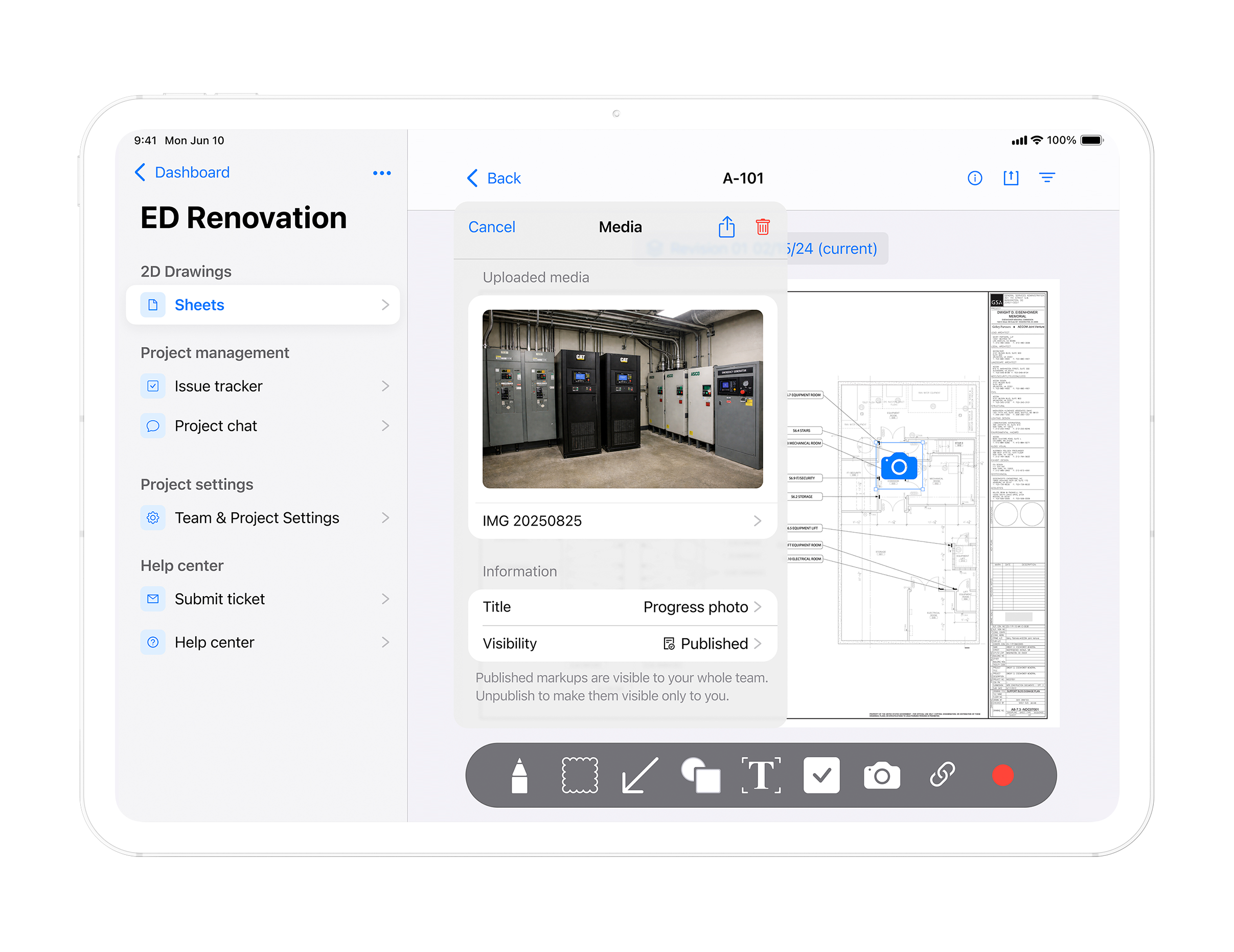
TruScope gives BIM engineers sheet linking with anchors, drawing version control, and AR overlay at full scale on site. The model connects to the field through current drawings that match what was approved. The AR add on lets teams walk the model inside the physical space.

TruScope AR supports Revit and IFC file formats and integrates with Autodesk Construction Cloud. TruScope is approved Autodesk software. Confirm the full format list with your team if additional formats are required.

Yes. The AR overlay features including Tabletop Models and Full Scale 1 to 1 are part of the TruScope AR add on. It is priced separately from TruScope Core. Contact the team for add on pricing and more information.

By combining current drawing control with AR verification on site TruScope allows BIM engineers to confirm that the physical build matches the model before walls close. Full scale AR overlay shows exactly where deviations exist so teams can correct issues before they become costly.

Close the gap between model and field.