Built for the inspector
who lives on the job site.

Current drawings, structured checklists, and QR code access. All on your phone. Get in, document it right, and get out.

No credit card required, 30-day free trial

THE PROBLEM

You shouldn’t have to wonder if you have the right drawing.

Field inspectors deal with the same frustrations on every project. Drawings that may or may not be current. Checklists that live in someone’s email. Photos that get disconnected from the locations they document. TruScope fixes all of that.

FEATURES

How TruScope helps inspectors

Always-Current Drawings

When revisions happen, new sheets are automatically loaded. You always have the latest set. No more asking the super for an updated print.

QR Code Access

Scan a QR code posted in the room or area. You’re immediately in the right drawing, the right checklist, the right location. No searching required.

Structured Checklists

Work through a step-by-step checklist for each room or system. Nothing gets missed. Nothing gets forgotten.

Photo Capture

Take photos right from the drawing view. They’re automatically linked to the right location and timestamped.

Offline Access

Job sites have spotty connectivity. TruScope works offline and syncs when you’re back on the network.

Works on Your Device

Phone, tablet, or laptop. Whatever you use in the field, TruScope works on it. No special hardware required.

I used to spend the first 30 minutes of every inspection making sure I had the right drawings. Now I scan the code and I’m in.

Bim Engineer

Executive Director, TruScope

FAQ

Your Questions. Answered.

Contact us if you have any other questions.
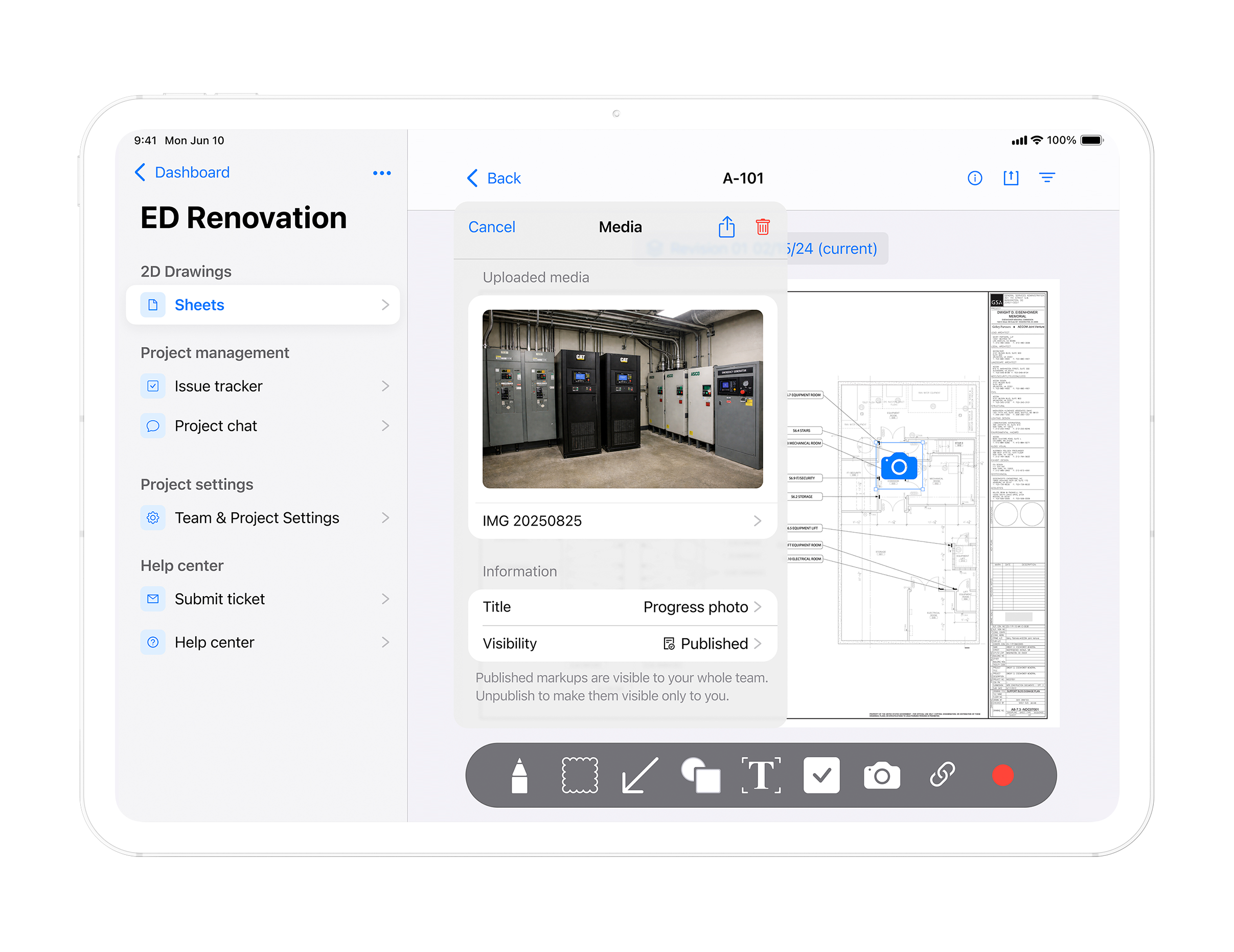
TruScope is available on iPhone and iPad through the Apple App Store. It also works on a laptop. No special hardware required. Use the devices you already carry in the field.

TruScope works offline. Drawings, checklists, and project data are stored on your device. You can inspect, capture photos, and add notes without a connection. Everything syncs automatically once you are back online.

No. TruScope delivers current drawings directly to your mobile device. When revisions happen the drawings update automatically. You always have the latest approved set. No printing. No PDFs stored on your phone. No chasing the superintendent for updates.

TruScope gives inspectors current drawings on their phone or tablet, structured checklists for each inspection, QR code access so you open the correct drawing instantly, and photo capture linked to the exact drawing location. Everything needed to inspect properly and document the work.

See how TruScope fits your next inspection.